Pathfinding Algorithms Visualizer
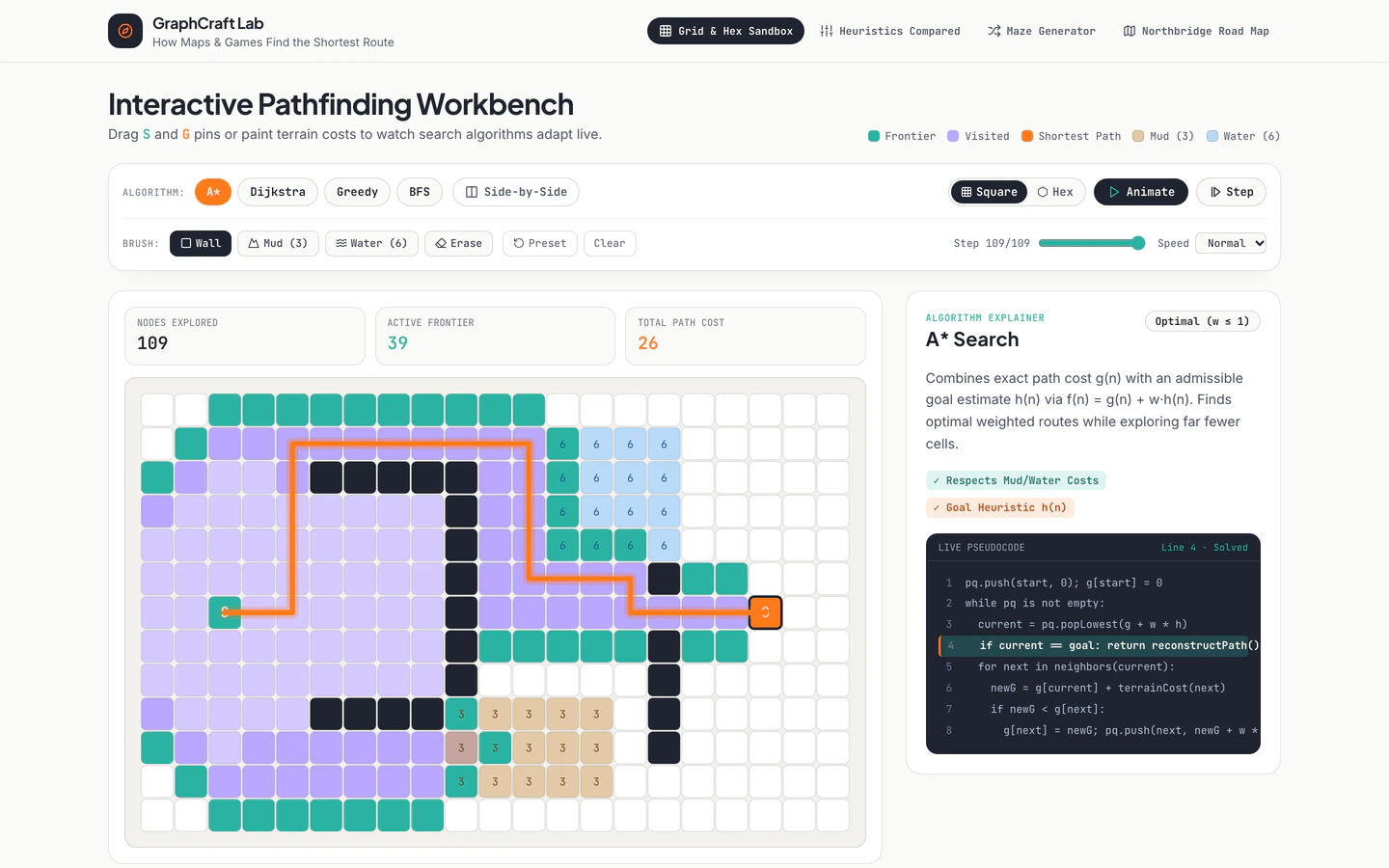
Interactive grid, hex, maze, and city-road pathfinding lab comparing BFS, Dijkstra, Greedy Best-First, and A* with live pseudocode.
Gemini 4 Neon
Type
3 tool website templates with live demos, including Pathfinding Algorithms Visualizer, Online Code Playground and Developer Utilities Toolbox.
3 templates, each with a live demo and the exact prompt that built it.
Often paired with
Interactive grid, hex, maze, and city-road pathfinding lab comparing BFS, Dijkstra, Greedy Best-First, and A* with live pseudocode.
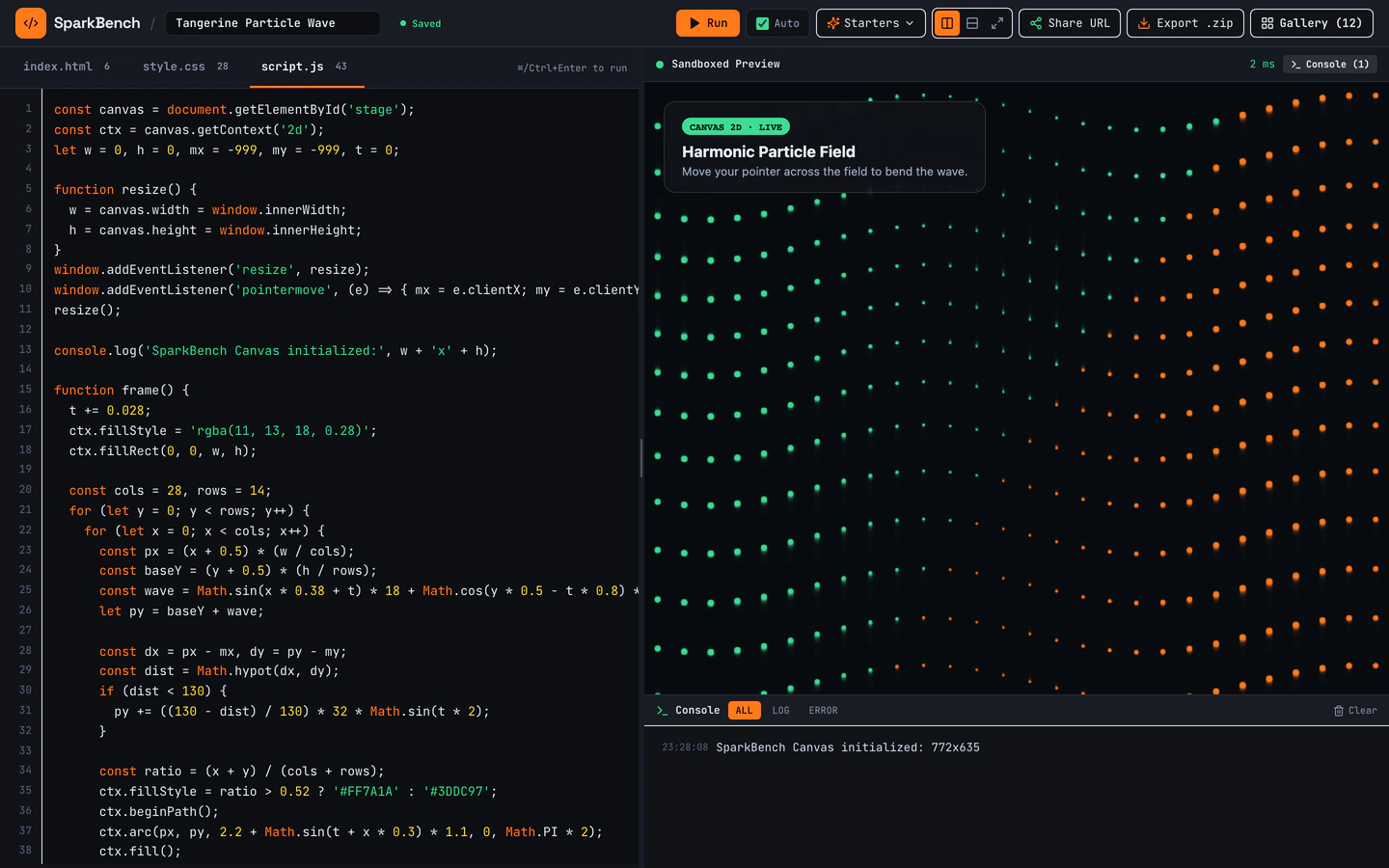
Dark-mode HTML, CSS, and JS sandbox with bundled Three.js, live console, URL sharing, ZIP export, and 12 seeded pens.
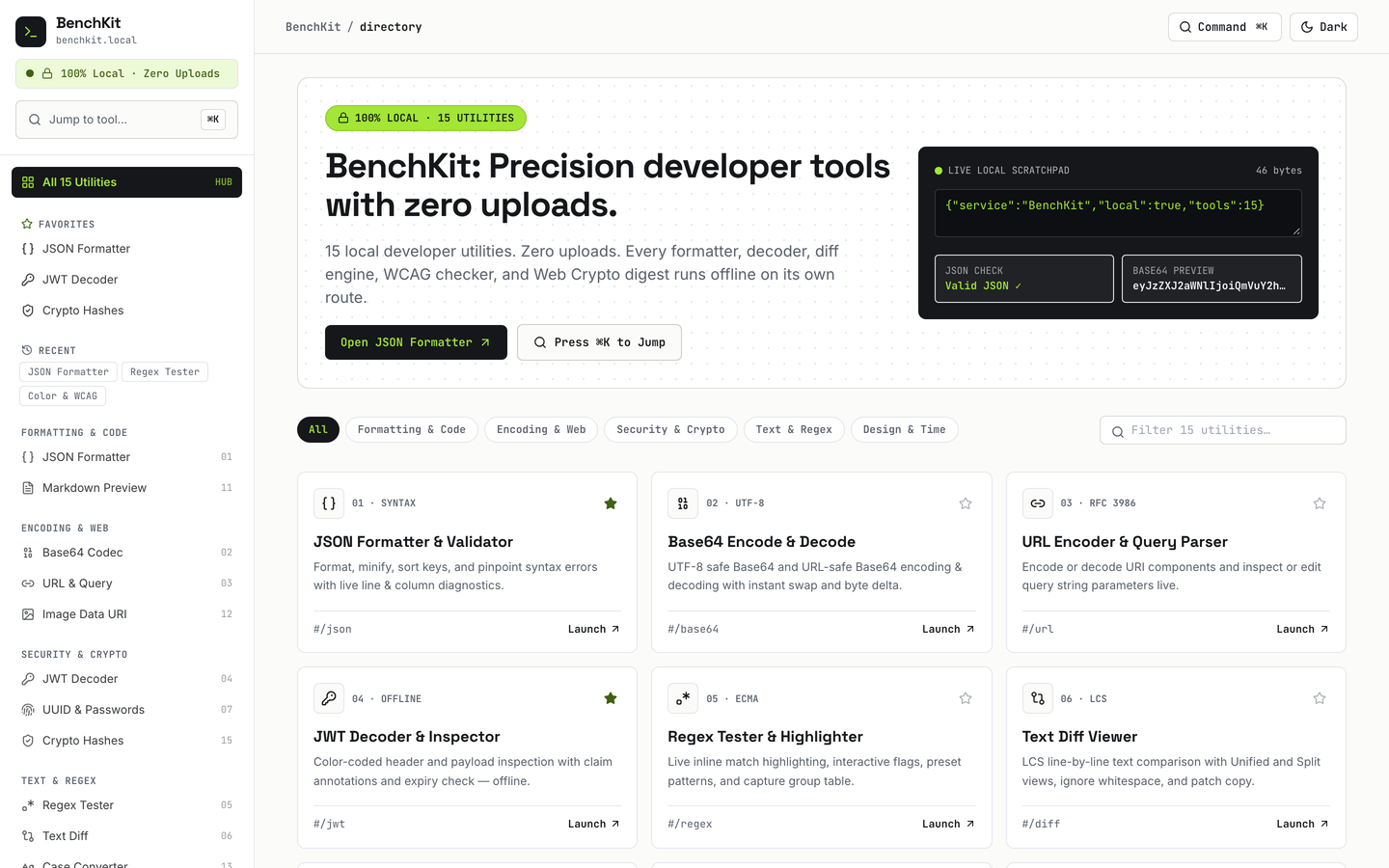
15 working browser-local developer utilities with Cmd+K jumper, favorites, history, and dark mode.
Tool website templates on VibeFather are working browser apps rather than marketing pages: each one ships a real utility the visitor operates, not a feature list describing one. The three templates here differ in what they do. Online Code Playground is a dark-mode HTML, CSS and JS sandbox with a live console, URL sharing and ZIP export. Developer Utilities Toolbox bundles 15 browser-local developer utilities behind a Cmd+K jumper. Pathfinding Algorithms Visualizer turns a grid, hex, maze or city-road map into a comparison of BFS, Dijkstra, Greedy Best-First and A* with live pseudocode.
All three are free, all three were built from a published prompt and DESIGN.md, and all three share a React, Tailwind CSS and micro-interactions base, which is why they feel like one family. What separates them is scope: one page of tooling versus 16 pages of utilities versus an interactive explainer with 4 pages. Starting from a tested prompt beats a blank chat because the layout, keyboard handling, dark mode and state logic are already decided, so you spend your turns on your own tool instead of re-describing a shell.
Before prompting, write down the single job your tool does and what the visitor leaves with, such as a shared URL, an exported ZIP or a copied result. A tool template lives or dies on that output, so name it first and let the surrounding pages support it.
Choose Online Code Playground if you need an editor and preview pane, Developer Utilities Toolbox if you are shipping many small utilities under one roof, or Pathfinding Algorithms Visualizer if your tool explains an algorithm step by step. Each brings its own page count and interaction pattern.
Change the brand name, page titles and descriptions in the template variables, then replace the seeded examples with your own data, whether that is sample pens, a starter utility list or a default grid. Keep the labels short so the controls stay readable.
Run the tool on a phone and a laptop, tab through every control, and check that the Cmd+K jumper, live console and result panels behave when the screen is narrow. Confirm that shared links and exports still work after you rename things.
FAQ
Yes. The tool templates on VibeFather were built from a published prompt and DESIGN.md by Gemini 4 Neon in Antigravity, and each demo runs as a working browser app. You take the same brief, point Claude Code, Codex, Cursor, Windsurf or Gemini CLI at it, and direct the agent toward your own tool instead of a marketing page.
Online Code Playground is a single sandbox: a dark-mode HTML, CSS and JS editor with Three.js bundled, a live console, URL sharing, ZIP export and 12 seeded pens across 2 pages. Developer Utilities Toolbox spreads 15 browser-local developer utilities across 16 pages with a Cmd+K jumper, favorites and history. Pick the playground for one deep tool, the toolbox for many small ones.
Start from Developer Utilities Toolbox, which already handles the shared shell: Cmd+K jumper, favorites, history and dark mode. Describe your utility to the agent as an input, a transform and an output, then ask it to register the utility in the same list as the existing ones so search and favorites pick it up.
The tool templates are built with React and Tailwind CSS, so they render as responsive pages, but tool interfaces need their own mobile pass: check that panels stack, that the Cmd+K jumper has a tap target and that the console stays usable on a narrow screen. The builds are static front-end apps, so any host that serves static files will run them.
Free tool templates' prompts and every DESIGN.md are free for personal, non-commercial use under CC BY-NC 4.0. Commercial and client work needs Pro, and the source code of the demos comes with Pro. The brief, stack and variables are shown publicly on each template page; the full prompt opens to Pro members.
Pathfinding Algorithms Visualizer is the fit: it runs 4 pages and lets visitors compare BFS, Dijkstra, Greedy Best-First and A* on a grid, hex grid, maze or city-road map with live pseudocode. Swap the algorithm set and the map data for your own topic, and keep the pseudocode panel in sync with whatever the grid is doing.
3 of the 3 tool website templates on VibeFather have a free prompt and DESIGN.md for personal projects (CC BY-NC 4.0). Pro adds every prompt, the source code of each live demo and a commercial license.
The live demos here were built by Gemini 4 Neon (3), each from the published prompt with nothing added. Every demo is labeled with the model and the coding tool that built it.