Weather Forecast App
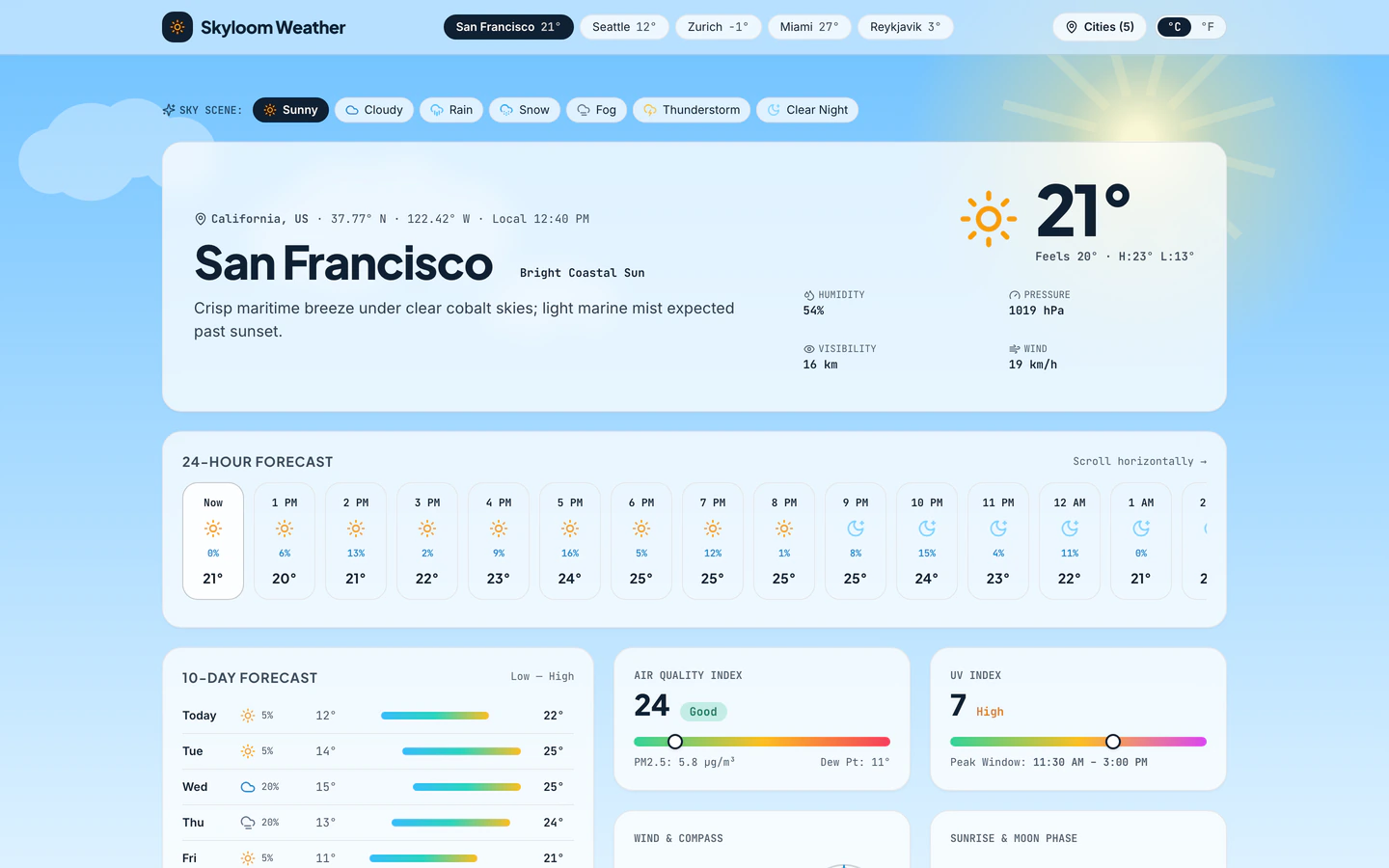
Atmospheric weather app with live animated Canvas sky scenes, 10-day bars, AQI, wind compass, radar timeline, and 6 cities.
Gemini 4 Neon
Role
3 website templates for developer with live demos, including Weather Forecast App, Online Code Playground and Developer Utilities Toolbox.
3 templates, each with a live demo and the exact prompt that built it.
Often paired with
Atmospheric weather app with live animated Canvas sky scenes, 10-day bars, AQI, wind compass, radar timeline, and 6 cities.
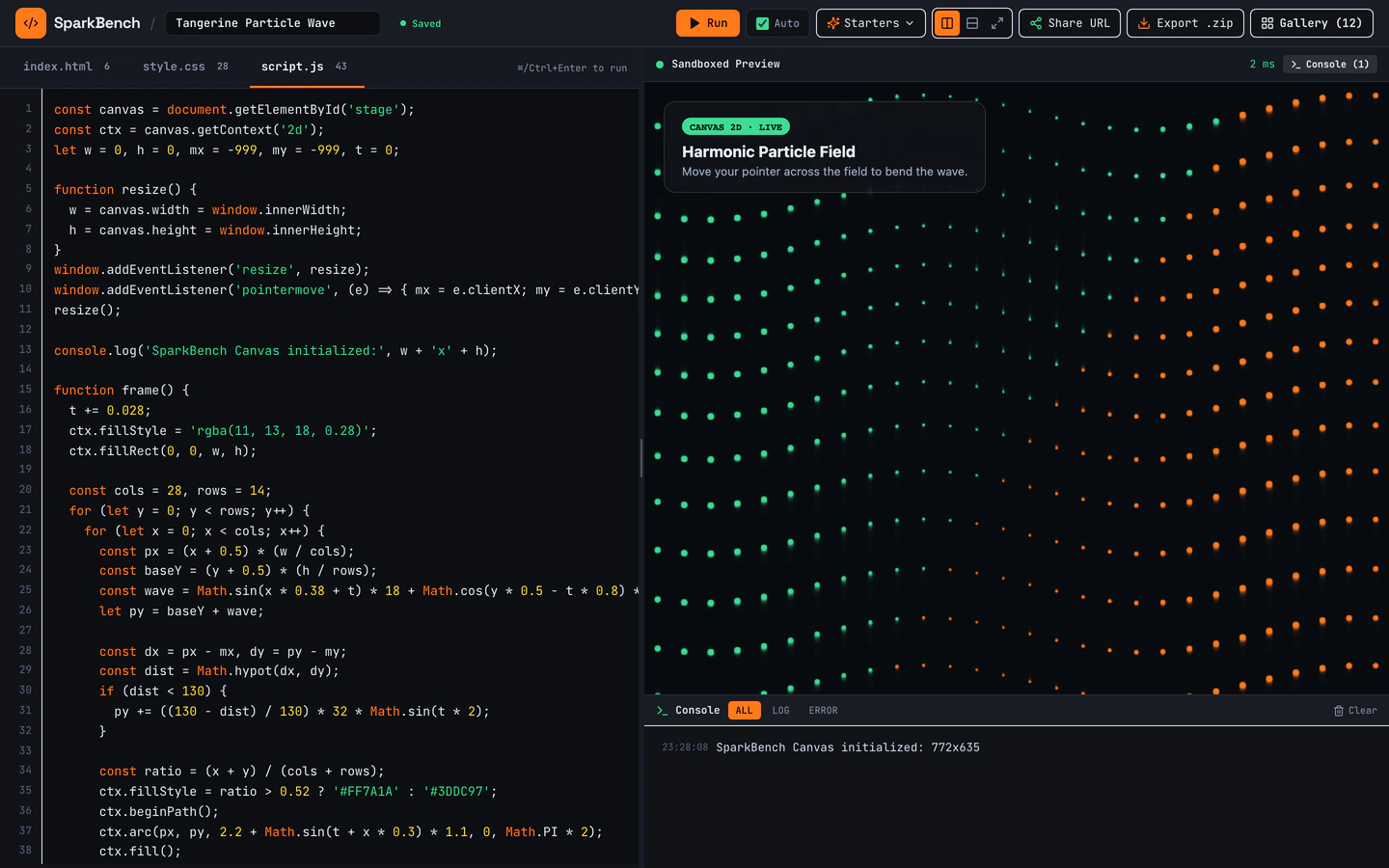
Dark-mode HTML, CSS, and JS sandbox with bundled Three.js, live console, URL sharing, ZIP export, and 12 seeded pens.
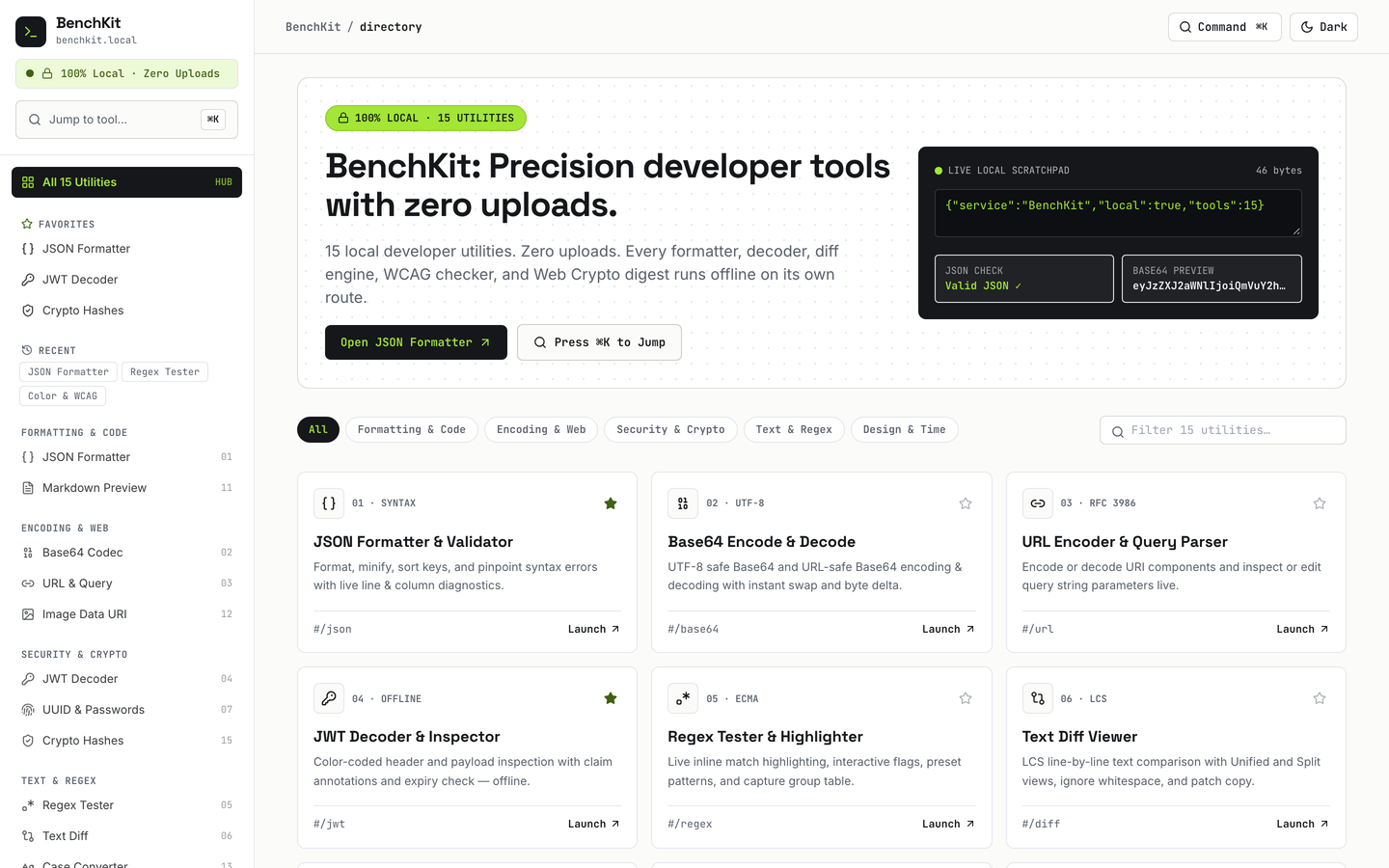
15 working browser-local developer utilities with Cmd+K jumper, favorites, history, and dark mode.
Developer website templates on VibeFather are starting points for tools developers actually use: a live weather dashboard, a browser code playground, and a utilities toolbox. All three are free, built with Vite, React, TypeScript and Tailwind CSS, and each ships as a working demo generated from a published prompt rather than a blank page you have to fill in.
The Weather Forecast App leans on animated Canvas sky scenes and a radar timeline. The Online Code Playground bundles Three.js with a live console, URL sharing and ZIP export. The Developer Utilities Toolbox spreads 15 browser-local utilities across 16 pages with a Cmd+K jumper. They differ in density and purpose, but share a dark, technical feel and a browser-first approach. Starting from a tested prompt gives your AI coding agent a defined structure, variables and sections, so you spend your time on the parts that are specific to your tool instead of re-describing a layout.
Pick the one job your site does before touching layout: a forecast view, a code sandbox, or a set of small converters. The three templates on this page differ mainly in that decision, and it determines which sections and variables you keep.
Open the published brief and set the brand name, accent color and dark mode default. Developer tools live or die on a readable dark theme, so check contrast on the console, the Cmd+K jumper and any chart or bar elements before adding content.
Replace seeded sample data with your own: city list for the weather app, starter pens for the playground, or the utility list for the toolbox. Keep the browser-local approach if you do not want a backend, and confirm each tool still runs after the swap.
Test the Cmd+K jumper, favorites and history on a narrow screen, and make sure the live console and code editor stay usable without a physical keyboard. Developer audiences switch devices, so tap targets and scroll areas matter as much as the desktop view.
Build the Vite project and deploy the static output to any host that serves files. Share the URL with your team, then hand the prompt and DESIGN.md to your agent for the next round of changes so the structure stays consistent.
FAQ
Yes. The three developer templates on VibeFather were built from published prompts by AI coding agents, and you can reuse the same prompts in Claude Code, Codex, Cursor, Windsurf, Gemini CLI or Antigravity. The prompt defines the sections, stack and variables, so your agent starts from a working structure instead of a blank chat. You then change the data, brand and tools to fit your own project.
The Online Code Playground is a single sandbox for HTML, CSS and JavaScript with a live console, bundled Three.js, URL sharing and ZIP export. The Developer Utilities Toolbox is a wider collection: 15 browser-local utilities across 16 pages, with a Cmd+K jumper, favorites and history. One is a focused coding environment, the other a set of small everyday tools.
The developer templates are built as responsive web apps with Tailwind CSS, so layouts adapt to narrow screens. The parts to check yourself are the code editor and live console in the Online Code Playground, the Cmd+K jumper and favorites in the Developer Utilities Toolbox, and the radar timeline and 10-day bars in the Weather Forecast App. Test those on a phone before you publish.
Free templates' prompts and every DESIGN.md are free for personal, non-commercial use under CC BY-NC 4.0. Commercial and client use needs Pro, which also gives you the full prompt for Pro templates and the source code of the demos. The three developer templates on this page are free, so start there for personal projects and move to Pro when a client is paying.
Open the published brief and change the city variable to your own locations, then replace the seeded forecast data with the source you want to use. The template already includes animated Canvas sky scenes, 10-day bars, AQI, a wind compass and a radar timeline, so the layout and effects stay as they are. Test each new city on mobile before publishing.
The demos on this page were built with Gemini 4 Neon in Antigravity. The prompts are plain instructions, so you can also paste them into Claude Code, Codex, Cursor, GitHub Copilot, Windsurf or Gemini CLI. VibeFather has comparison pages for those tools if you want to see how they approach the same brief before choosing one for your project.
3 of the 3 website templates for developer on VibeFather have a free prompt and DESIGN.md for personal projects (CC BY-NC 4.0). Pro adds every prompt, the source code of each live demo and a commercial license.
The live demos here were built by Gemini 4 Neon (3), each from the published prompt with nothing added. Every demo is labeled with the model and the coding tool that built it.