Online Code Playground
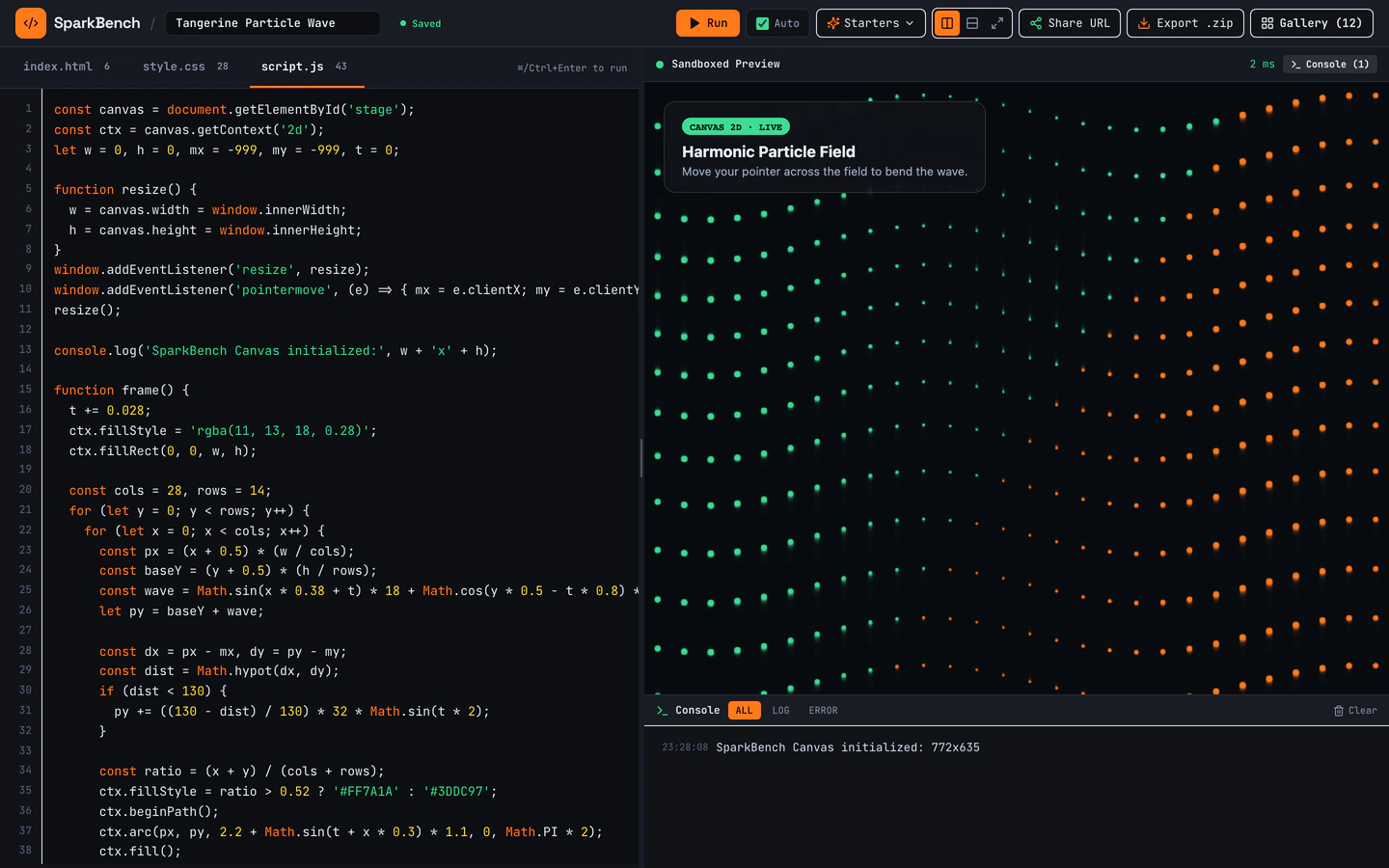
Dark-mode HTML, CSS, and JS sandbox with bundled Three.js, live console, URL sharing, ZIP export, and 12 seeded pens.
Gemini 4 Neon
Industry
2 software website templates with live demos, including Online Code Playground and Developer Utilities Toolbox.
2 templates, each with a live demo and the exact prompt that built it.
Often paired with
Dark-mode HTML, CSS, and JS sandbox with bundled Three.js, live console, URL sharing, ZIP export, and 12 seeded pens.
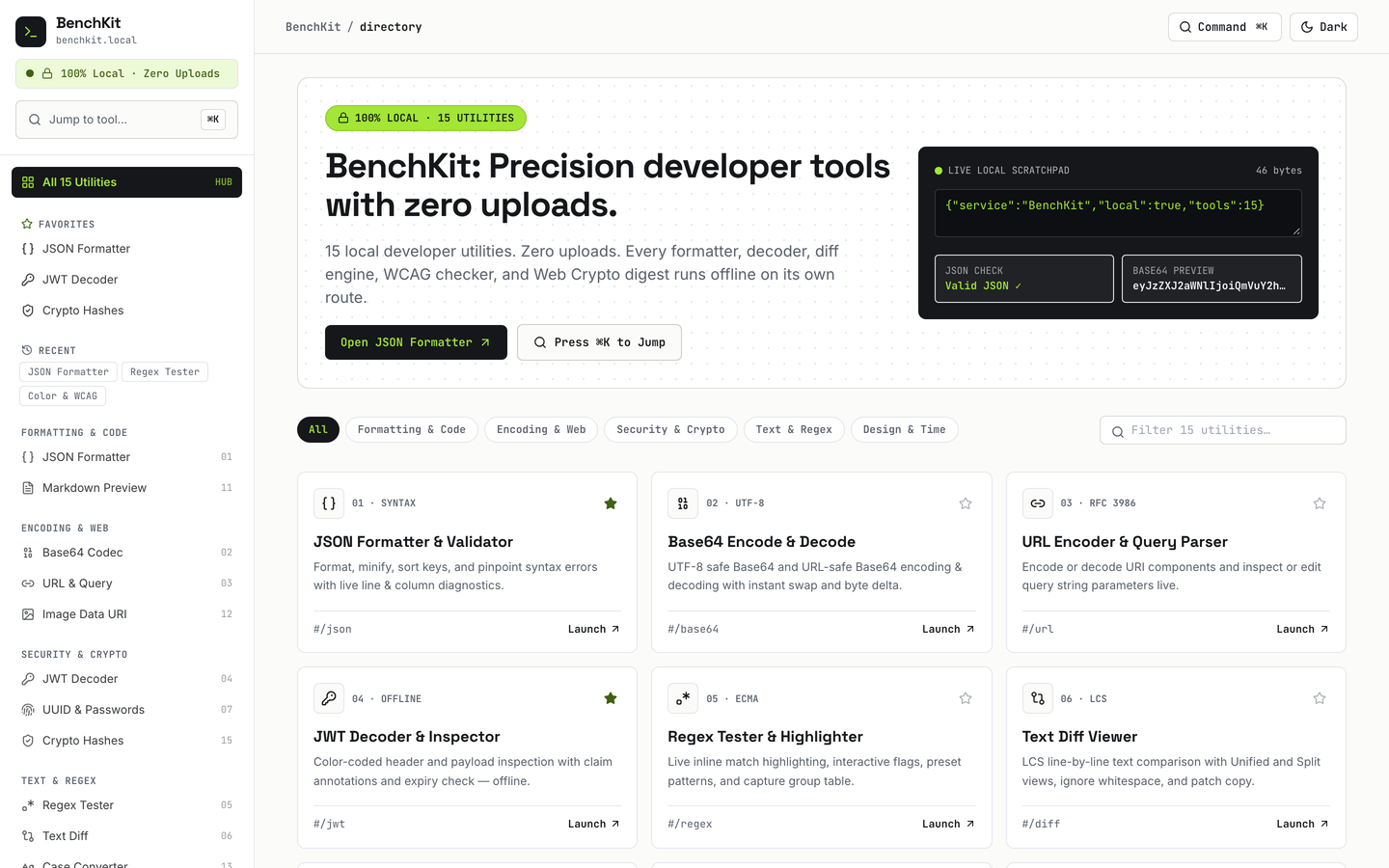
15 working browser-local developer utilities with Cmd+K jumper, favorites, history, and dark mode.
Software website templates on VibeFather are starting points for developers and small software teams who need a working product site rather than a marketing brochure. The two templates on this page are both browser tools: the Online Code Playground is a dark-mode HTML, CSS and JavaScript sandbox with a live console, URL sharing, ZIP export and 12 seeded pens, while the Developer Utilities Toolbox packs 15 working browser-local utilities behind a Cmd+K jumper with favorites, history and dark mode. Both are free, both run on Vite, React, TypeScript and Tailwind CSS, and both were built from a published prompt by Gemini 4 Neon in Antigravity.
They differ in shape: the playground is a two-page app that leans on Three.js and a live console, and the toolbox spreads 16 pages across many small tools. Starting from a tested prompt beats a blank chat because the layout, state handling and dark mode are already decided, so your agent spends its effort on your utilities, your copy and your brand instead of rebuilding a shell from zero.
Write down the one job your site does: run code in the browser, convert values, format text or inspect data. The playground suits a single editor with output; the toolbox suits many small utilities sharing one shell. That decision picks which template you start from before any styling work.
Replace the template name, tagline and dark palette with your own, then list every utility you want in the Cmd+K jumper and sidebar. Keep each entry to a clear label and one-line description so search and favorites stay readable on a phone.
Open each utility at a narrow width and confirm inputs, outputs and copy buttons stack without horizontal scrolling. The playground editor and console need the most attention, since code panes and long output lines are the first things to overflow.
Run the URL sharing and ZIP export in the playground, and favorites and history in the toolbox. Confirm saved state survives a reload and that shared links open the same pen or tool for someone else, then adjust the sample content so it matches your own utilities.
FAQ
The software templates on VibeFather are working browser tools, not landing pages. The Online Code Playground gives you a dark-mode HTML, CSS and JavaScript sandbox with a live console, URL sharing, ZIP export and 12 seeded pens. The Developer Utilities Toolbox gives you 15 browser-local developer utilities with a Cmd+K jumper, favorites, history and dark mode. Either can be rebranded and extended with your own tools.
Yes. The published prompts are written for AI coding agents, and Claude Code, Codex, Cursor, GitHub Copilot, Windsurf and Gemini CLI can all work from them. The demos on this page were built with Gemini 4 Neon in Antigravity. Paste the prompt into your agent, then direct it to change the brand, the utility list and the sample data rather than rewriting the layout.
Start with the 15 existing utilities as a pattern, then replace the ones you do not need with your own. Set the brand name and tagline, rewrite each tool label and description so the Cmd+K jumper reads clearly, and point favorites and history at the tools your team uses daily. Keep the dark mode and keyboard search, since those are what make a many-tool site usable.
Both templates are responsive, but tool sites need checking at narrow widths because code panes, long output lines and multi-column utility grids overflow first. Open the playground editor and console on a phone, then each toolbox utility, and confirm inputs, outputs and copy buttons stack cleanly. Adjust the layout in your AI agent until nothing scrolls sideways.
Free templates' prompts and every DESIGN.md are free for personal, non-commercial use under CC BY-NC 4.0. Commercial and client work needs Pro. Both templates on this page are free, so you can read the prompt and design notes now and move to Pro when you take on paid work. Source code of the demos comes with Pro.
Change the brand name, tagline and accent color first, then the 12 seeded pens, since those set what a visitor sees on arrival. After that, adjust the console wording and the export and sharing labels to match your audience. Leave the editor layout and Three.js setup alone until the branding and sample pens feel right.
2 of the 2 software website templates on VibeFather have a free prompt and DESIGN.md for personal projects (CC BY-NC 4.0). Pro adds every prompt, the source code of each live demo and a commercial license.
The live demos here were built by Gemini 4 Neon (2), each from the published prompt with nothing added. Every demo is labeled with the model and the coding tool that built it.