3D Animal Cell Explainer
Interactive risograph 3D animal cell cutaway in Three.js with organelle fly-ins, live animations, and protein pathway.
Gemini 4 Neon
Role
2 website templates for educator with live demos, including 3D Animal Cell Explainer and Online Code Playground.
2 templates, each with a live demo and the exact prompt that built it.
Often paired with
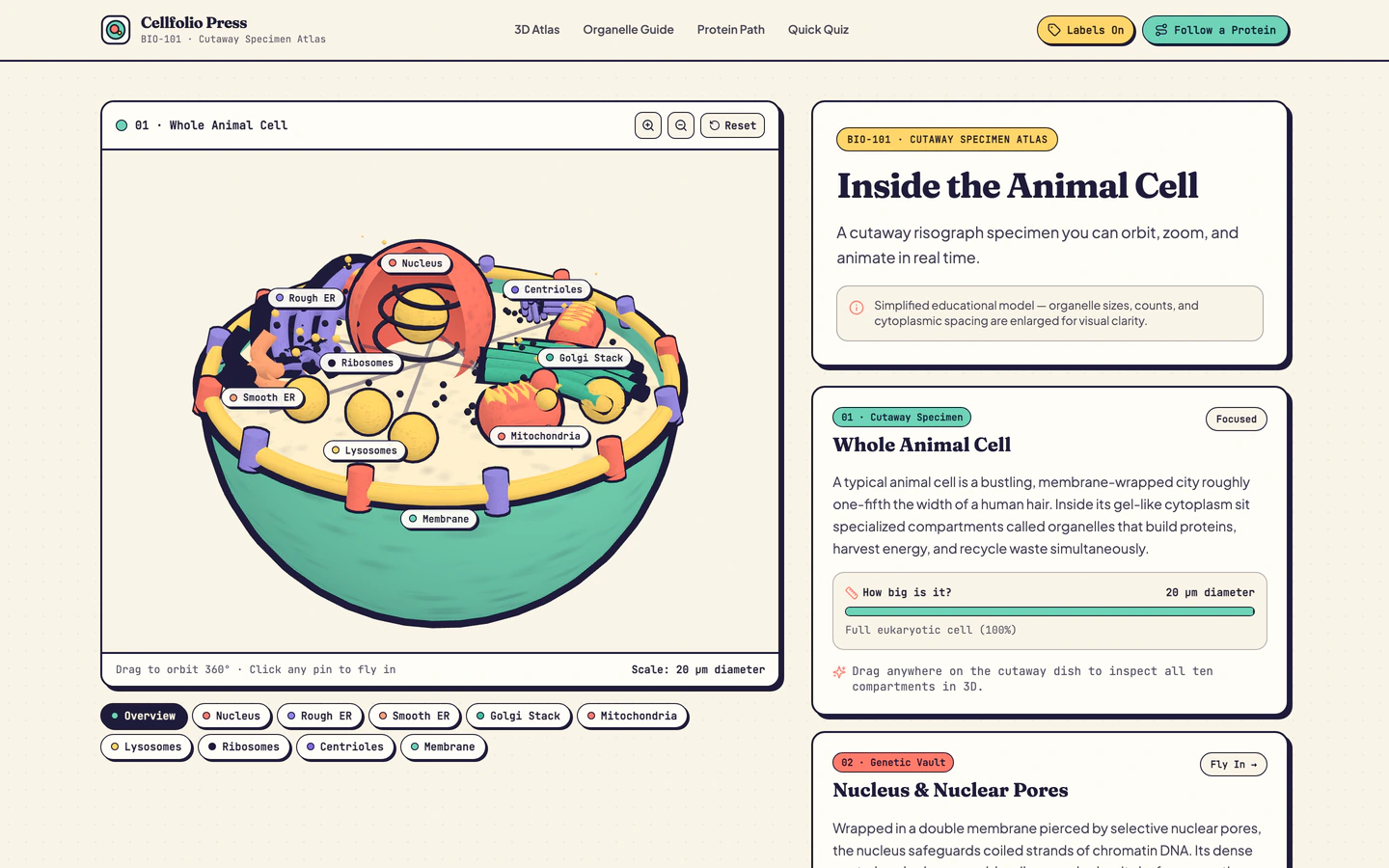
Interactive risograph 3D animal cell cutaway in Three.js with organelle fly-ins, live animations, and protein pathway.
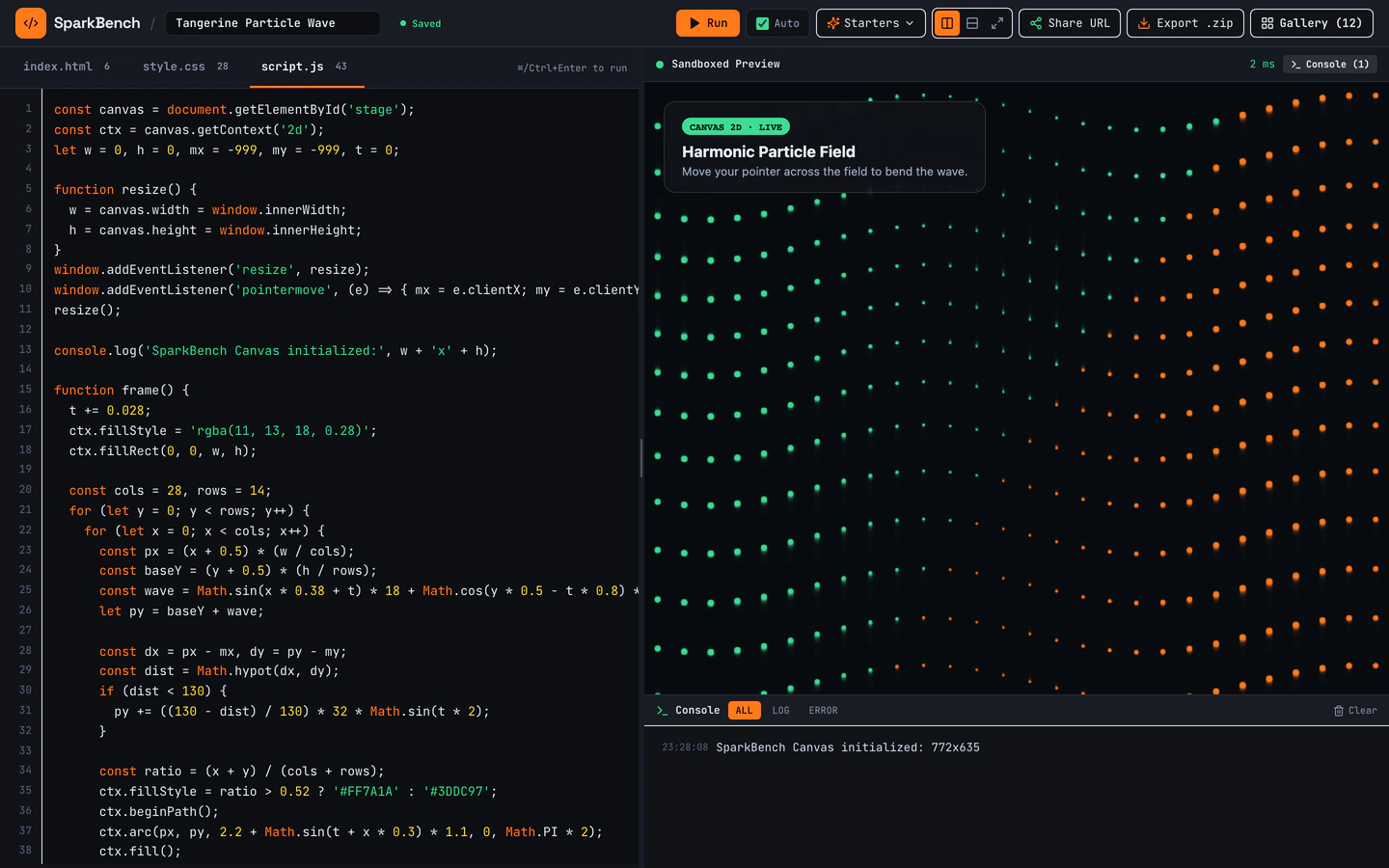
Dark-mode HTML, CSS, and JS sandbox with bundled Three.js, live console, URL sharing, ZIP export, and 12 seeded pens.
Educator website templates on VibeFather are built for teachers, tutors, course authors and science communicators who want to explain something interactively rather than post another wall of text. Both templates on this page run on React and Three.js, so the centre of each page is a live 3D or code scene a visitor can touch, not a static diagram. The Online Code Playground is a dark-mode sandbox with a live console, URL sharing, ZIP export and seeded pens for teaching HTML, CSS and JavaScript. The 3D Animal Cell Explainer is a risograph cutaway with organelle fly-ins, live animations and a protein pathway for biology lessons. They differ in audience and mood: one is a developer classroom, the other a science explainer. Starting from a published prompt gives your AI coding agent a tested structure, real variables and a working scene before you add your own lesson content.
Choose whether your page teaches code or a physical system. The Online Code Playground suits programming lessons with its live console and seeded pens; the 3D Animal Cell Explainer suits biology with organelle fly-ins. Pick the template that matches the interaction you want learners to perform first.
Open the published brief and variables, then replace the sample lesson text with your own topic, labels and instructions. Keep the scene names short so they read clearly on a phone, and write the intro copy as if a student is arriving cold with no teacher beside them.
For the playground, replace the seeded pens with one worked example your class will recognise, then let students edit it. For the cell explainer, check that the organelle labels and protein pathway match the vocabulary your course uses before you publish the page.
Load the page on a phone and a classroom projector. Check that the live console is usable with a touch keyboard, that organelle fly-ins still read at small sizes, and that the 3D scene does not hide the explanatory text behind it.
Use URL sharing in the playground so students can open the same pen, and ask your AI agent to adjust wording, add a second example or change the colour mood once you have watched real learners use the page. Keep each change small and review it on mobile.
FAQ
Yes. Both educator templates on VibeFather are directed through an AI coding agent rather than hand-written. You describe the lesson, the labels and the example you want, and the agent edits the published prompt and variables. The Online Code Playground keeps its live console and seeded pens, and the 3D Animal Cell Explainer keeps its organelle fly-ins, so you change content and wording rather than the underlying scene logic.
Replace the seeded pens with one worked example from your own syllabus, then write the page intro as a short brief for a student arriving alone. Use URL sharing so everyone opens the same starting pen, and keep the live console visible. The dark-mode sandbox, ZIP export and bundled Three.js stay in place, so you can teach HTML, CSS, JavaScript or a small 3D scene without rebuilding the tool.
The 3D Animal Cell Explainer presents a risograph-style cutaway of an animal cell with organelle fly-ins, live animations and a protein pathway. Students can explore the parts of the cell in sequence rather than reading a labelled diagram. For a lesson, set the organelle names and pathway steps to the vocabulary your course uses, and check that the labels remain readable on a phone before sharing the page.
The demos on this page were built with Antigravity and Codex, using Gemini 4 Neon and GPT-6.2 Sol. You can direct the published prompt with any AI coding agent you already use, including Claude Code, Cursor, GitHub Copilot, Windsurf and Gemini CLI. VibeFather lists comparison pages for these tools if you want to see how each one works before you start editing the lesson content.
Free educator templates on VibeFather, including their prompts and DESIGN.md, are licensed for personal, non-commercial use under CC BY-NC 4.0. Commercial use, including paid tutoring, client work or a paid course site, needs Pro. Pro also gives access to the full prompt and the source code of the demos, so you can adapt the playground or cell explainer for a business.
Start from the 3D Animal Cell Explainer and ask your AI agent to relabel the scene for your topic, then adjust the organelle fly-in order and the protein pathway steps to match the process you are teaching. Keep the risograph cutaway style and the live animations, and rewrite the explanatory text around the new subject. Review the result on a phone, since small labels are the first thing to break when the topic changes.
2 of the 2 website templates for educator on VibeFather have a free prompt and DESIGN.md for personal projects (CC BY-NC 4.0). Pro adds every prompt, the source code of each live demo and a commercial license.
The live demos here were built by Gemini 4 Neon (2) and GPT-6.2 Sol (1), each from the published prompt with nothing added. Every demo is labeled with the model and the coding tool that built it.