Pathfinding Algorithms Visualizer
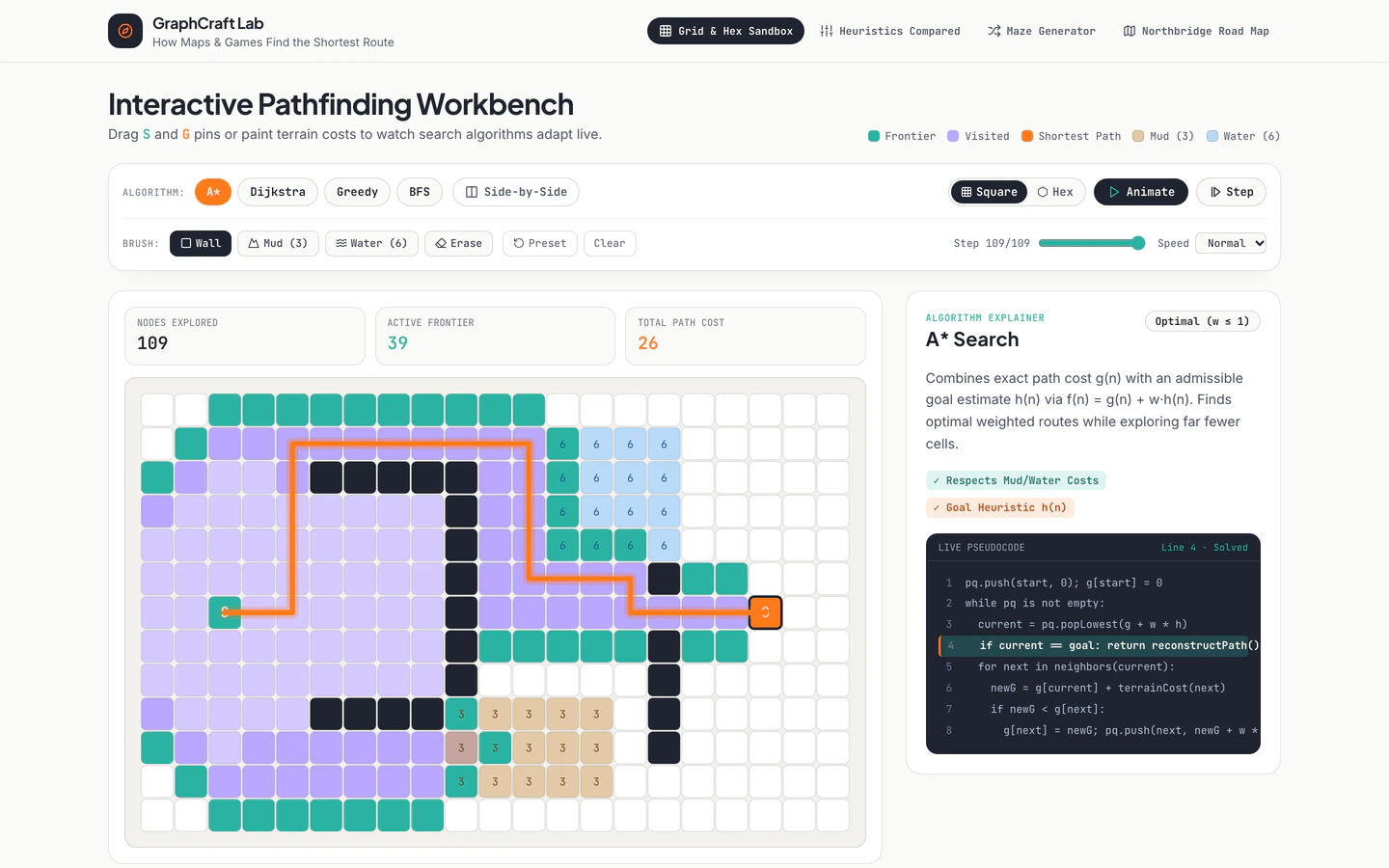
Interactive grid, hex, maze, and city-road pathfinding lab comparing BFS, Dijkstra, Greedy Best-First, and A* with live pseudocode.
Gemini 4 Neon
Effect
2 website templates with interactive canvas with live demos, including Pathfinding Algorithms Visualizer and Online Learning Platform.
2 templates, each with a live demo and the exact prompt that built it.
Often paired with
Interactive grid, hex, maze, and city-road pathfinding lab comparing BFS, Dijkstra, Greedy Best-First, and A* with live pseudocode.
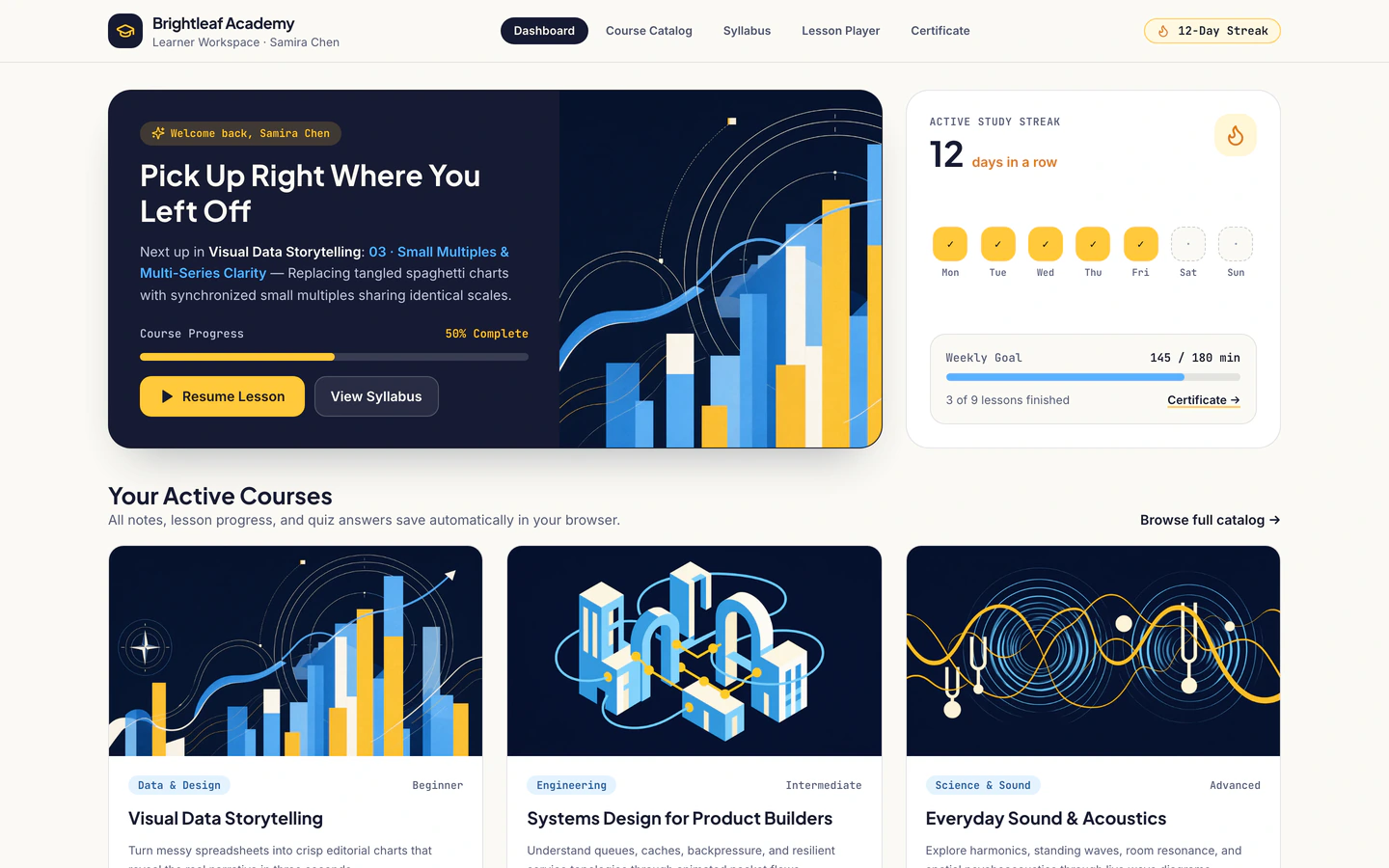
Course platform opening mid-course on a learner dashboard with animated visual lessons, captions, notes, quizzes, and certificates.
Interactive canvas websites put a live, drawable or clickable surface at the center of the page instead of a static hero and scrolling text. The two templates on this page share that idea but use it differently: the Pathfinding Algorithms Visualizer turns a grid, hex map, maze and city-road layout into a lab for comparing BFS, Dijkstra, Greedy Best-First and A*, while the Online Learning Platform opens mid-course on a learner dashboard with animated visual lessons, captions, notes, quizzes and certificates. Both are built on Vite, React, TypeScript and Tailwind CSS with lucide-react icons, and both were made by Gemini 4 Neon in Antigravity.
One is free and one is Pro, so you can start with the visualizer prompt to see how a canvas-driven page is briefed before committing to a bigger dashboard build. Starting from a tested prompt matters here because interactive surfaces fail in specific ways: a canvas that ignores touch, a grid that resets on resize, a learner view with no clear next step. The published brief, stack and variables give your AI agent a working structure to adapt rather than a blank chat where you have to describe every interaction from scratch.
Before prompting, write down the single thing a visitor should manipulate: a grid of cells, a road network, a lesson animation. The Pathfinding Algorithms Visualizer keeps four canvas modes, so decide whether you need one surface or several and how a visitor switches between them.
Fill in the brand name, page copy, lesson or algorithm descriptions and any labels the canvas uses. The Online Learning Platform carries course titles, captions, notes and quiz text, so replace the sample learner data with your own before you judge how the layout reads.
Tell your agent exactly what clicking, dragging and hovering should do, and what the canvas shows before any input. For a pathfinding page that means start and end points, wall drawing and a run control; for a course page it means playing a lesson, opening notes and submitting a quiz.
Open the demo on a phone and try the canvas with a finger, not a mouse. Grids and road maps get cramped quickly, so confirm the controls stay reachable, the canvas does not scroll the page by accident and text captions remain readable at narrow widths.
Run every state your canvas can reach: empty, running, finished, error. Check that results and pseudocode or captions update together. Once that holds, swap the sample content for your own subject and keep the same interaction pattern.
FAQ
An interactive canvas website template is a page built around a live surface a visitor can click, drag or draw on, rather than static sections. On VibeFather the tag covers the Pathfinding Algorithms Visualizer, which uses grid, hex, maze and city-road canvases, and the Online Learning Platform, which centers on animated visual lessons inside a learner dashboard.
Yes. The Pathfinding Algorithms Visualizer prompt is published on VibeFather and can be pasted into Claude Code, Cursor, Codex, Windsurf, Gemini CLI or GitHub Copilot. The demos themselves were built with Gemini 4 Neon in Antigravity, but the brief, stack and variables are written so another AI coding agent can follow the same structure.
Start from the Online Learning Platform template, which is a Pro template with five pages built on Vite, React, TypeScript and Tailwind CSS. Give your agent the course structure, lesson captions, notes and quiz content, then check that the learner dashboard opens mid-course and that animated lessons, certificates and navigation all work on a phone.
The Pathfinding Algorithms Visualizer is the free template on this page, with four pages covering grid, hex, maze and city-road canvases. Its prompt and DESIGN.md are free for personal, non-commercial use under CC BY-NC 4.0. Commercial or client work needs Pro, and Pro also unlocks the full prompt and source code for the demos.
Change the algorithm descriptions and pseudocode first so they match the algorithms you actually want to show, then adjust the canvas modes if you only need one layout. After that, replace the brand name and page copy, and set the default grid size and start and end positions so the first view is not empty.
Commercial and client use requires Pro on VibeFather. Free templates' prompts and every DESIGN.md are licensed for personal, non-commercial use only, so a client project built from the free Pathfinding Algorithms Visualizer needs a Pro plan. The Online Learning Platform is already a Pro template and shows its brief, stack and variables publicly.
1 of the 2 website templates with interactive canvas on VibeFather have a free prompt and DESIGN.md for personal projects (CC BY-NC 4.0); 1 are Pro. Pro adds every prompt, the source code of each live demo and a commercial license.
The live demos here were built by Gemini 4 Neon (2), each from the published prompt with nothing added. Every demo is labeled with the model and the coding tool that built it.