Spend a Billion Dollars Game
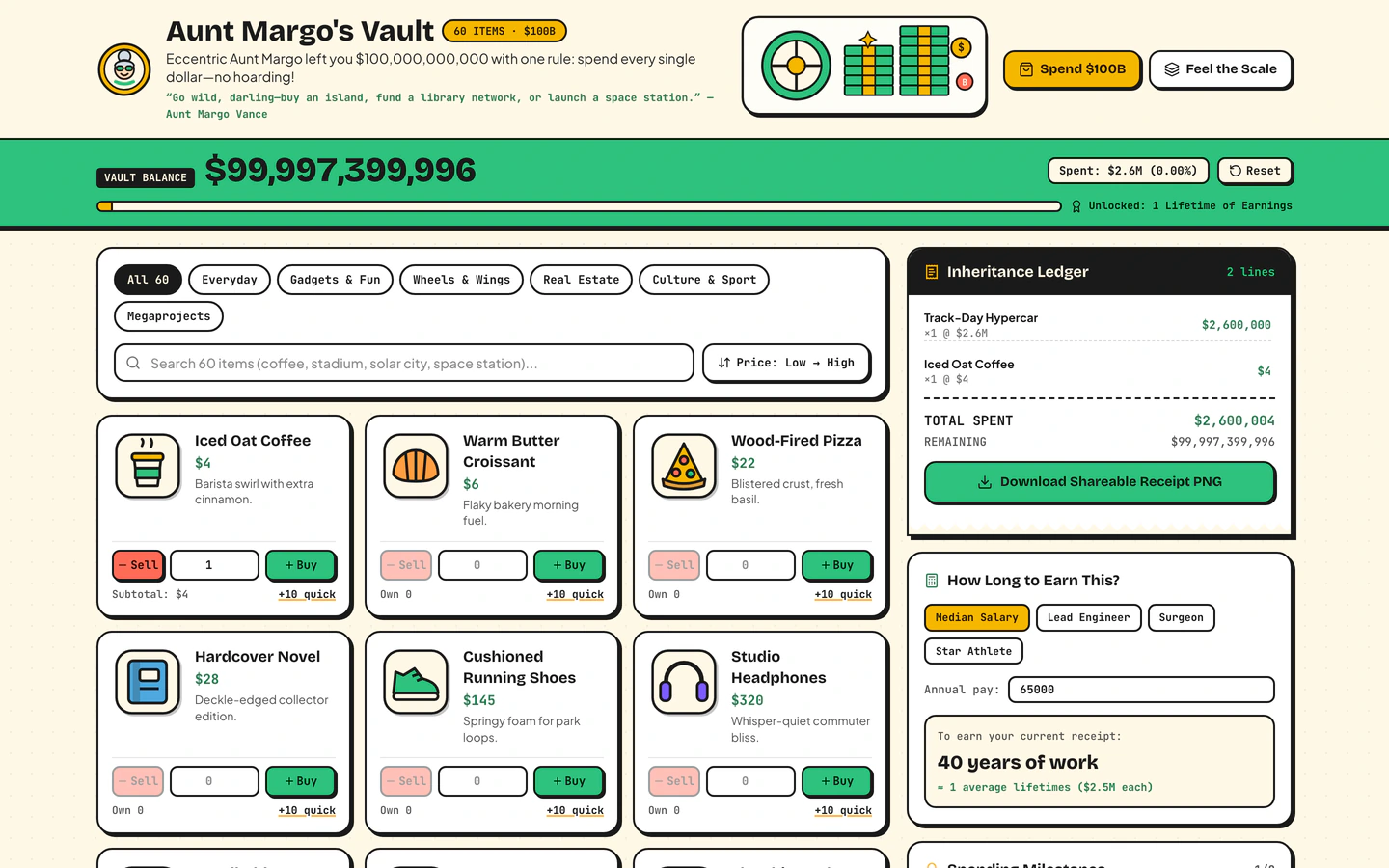
Inherit $100B from a fictional eccentric aunt, shop 60 sticker items, print a shareable receipt, and feel the scale of $1M vs $1B vs $1T.
Gemini 4 Neon
Role
2 website templates for student with live demos, including Spend a Billion Dollars Game and 3D Animal Cell Explainer.
2 templates, each with a live demo and the exact prompt that built it.
Often paired with
Inherit $100B from a fictional eccentric aunt, shop 60 sticker items, print a shareable receipt, and feel the scale of $1M vs $1B vs $1T.
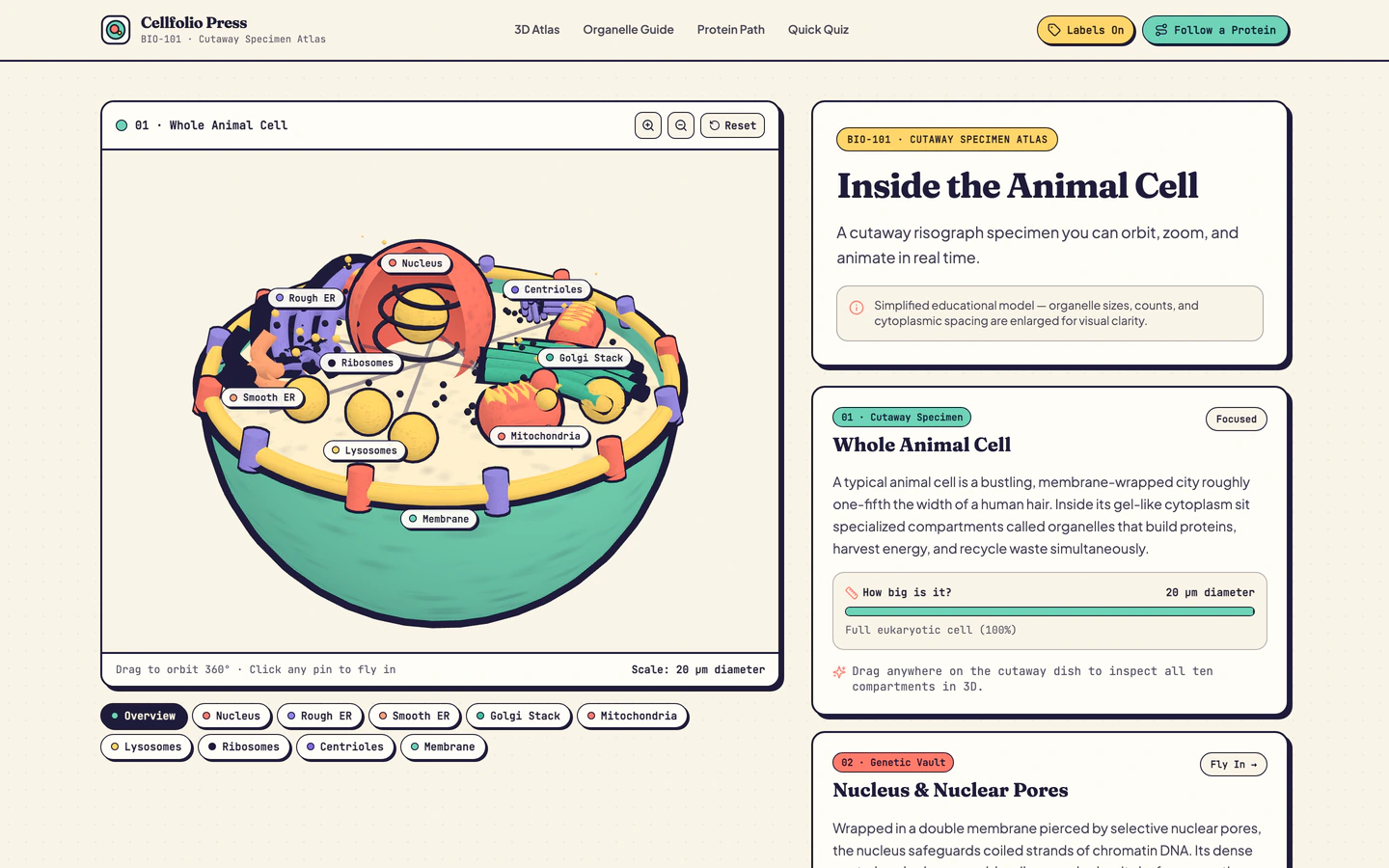
Interactive risograph 3D animal cell cutaway in Three.js with organelle fly-ins, live animations, and protein pathway.
Student websites on VibeFather are built for explaining and exploring, not for selling. The two templates on this page are the Spend a Billion Dollars Game, where a fictional inheritance of $100B is spent across 60 sticker items with a printable shareable receipt, and the 3D Animal Cell Explainer, a risograph-style Three.js cutaway with organelle fly-ins and a protein pathway animation. One is a browser game and interactive toy, the other an interactive explainer and guide.
Both templates are free and both run on Vite, React, TypeScript and Tailwind CSS, with the cell explainer adding three for the 3D scene. The game is the better starting point for a playful classroom activity or a personal project about scale; the cell explainer suits a biology study aid, a science club page or a teaching resource. Starting from a published prompt gives a working structure, variables and mobile behaviour to edit instead of a blank chat, so you spend your time on the subject matter rather than on scaffolding.
Before opening a prompt, write down what a student should understand after using the site: the scale of a billion dollars, or how a cell's organelles work together. That goal decides whether you start from the Spend a Billion Dollars Game or the 3D Animal Cell Explainer.
Open the template page and read the brief, stack and variables before generating anything. The game exposes the inheritance amount, the 60 sticker items and the receipt text; the cell explainer exposes the organelle labels, animation timing and pathway steps. Note which values you want to change.
Copy the prompt into an AI coding agent such as Claude Code, Codex or Antigravity and replace the sample content with your own: your item list and prices in the game, or your organelle names and descriptions in the cell explainer. Keep the structure and change the words first.
Student sites get used on phones and tablets in class. Test that the game's shopping and receipt still work with touch, and that the cell's fly-ins and animations stay readable on a small screen. Adjust label sizes and camera distance where text overlaps.
Both templates are built with Vite, so the finished site builds to static files you can host anywhere. Share one link with students or classmates, and keep the source so you can update the content for the next topic or lesson.
FAQ
The student templates on VibeFather cover two kinds of interactive learning site. The Spend a Billion Dollars Game is a browser game where a player inherits $100B, shops 60 sticker items and prints a shareable receipt to compare $1M, $1B and $1T. The 3D Animal Cell Explainer is a Three.js cutaway with organelle fly-ins and a protein pathway animation.
Yes. Both student templates are free, and free templates' prompts and every DESIGN.md are free for personal, non-commercial use under CC BY-NC 4.0, which covers school projects and classroom activities. If the site is for a paid course, a client or any commercial use, you need Pro, which also includes the source code of the demos.
Set the inheritance amount and the sticker item list in the prompt to match your lesson, then use the printed receipt as the discussion point: it shows what was spent and lets students compare $1M, $1B and $1T side by side. Change the item names and prices to things your class recognises so the numbers feel concrete.
Yes. The 3D Animal Cell Explainer was built by GPT-6.2 Sol and Gemini 4 Neon using Antigravity and Codex, and you can rebuild it with Claude Code, Codex, Cursor, Windsurf or Gemini CLI. For a revision page, replace the organelle descriptions with your syllabus wording and keep the fly-ins and protein pathway as the visual explanation.
Both student templates are built with Vite, React, TypeScript and Tailwind CSS, so layouts adapt to small screens. The game's shopping flow and the cell explainer's 3D scene need a check on a real phone: confirm buttons are reachable with a thumb and that organelle labels stay readable when the camera moves.
Start from the 3D Animal Cell Explainer and set the heading and descriptions to your club or group name, then swap the organelle content for the topic you are studying. For a lighter activity, use the Spend a Billion Dollars Game with your own item list and share the printable receipt as a group exercise.
2 of the 2 website templates for student on VibeFather have a free prompt and DESIGN.md for personal projects (CC BY-NC 4.0). Pro adds every prompt, the source code of each live demo and a commercial license.
The live demos here were built by Gemini 4 Neon (2) and GPT-6.2 Sol (2), each from the published prompt with nothing added. Every demo is labeled with the model and the coding tool that built it.