Fluid Simulation Agency Website (Pro)
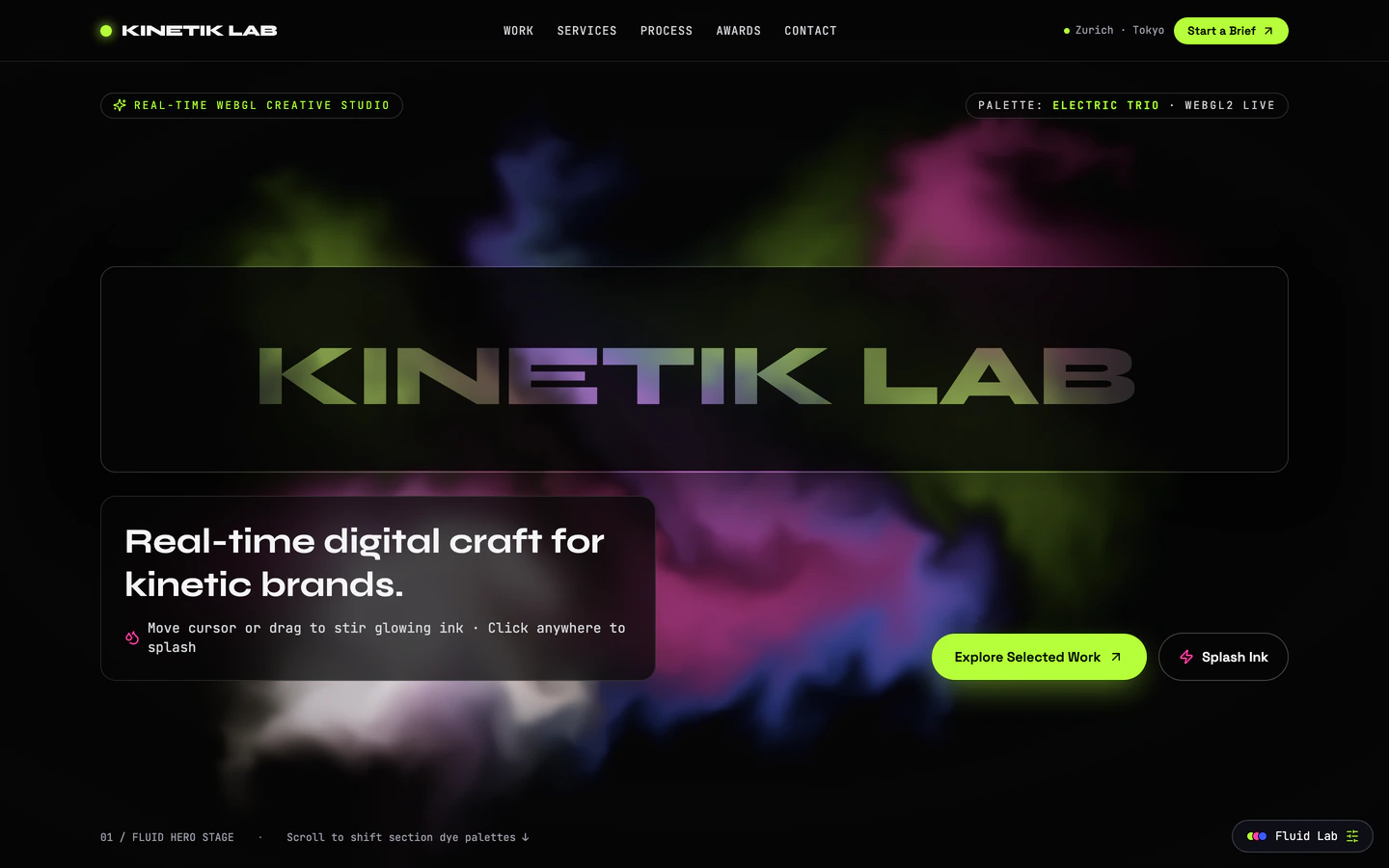
Interactive creative studio homepage with a live WebGL fluid hero, cutout wordmark mask, and scroll-reactive electric palettes.
Gemini 4 Neon
Use case
2 website templates for convert leads with live demos, including Fluid Simulation Agency Website and Particle Morph 3D Landing Page.
2 templates, each with a live demo and the exact prompt that built it.
Often paired with
Interactive creative studio homepage with a live WebGL fluid hero, cutout wordmark mask, and scroll-reactive electric palettes.
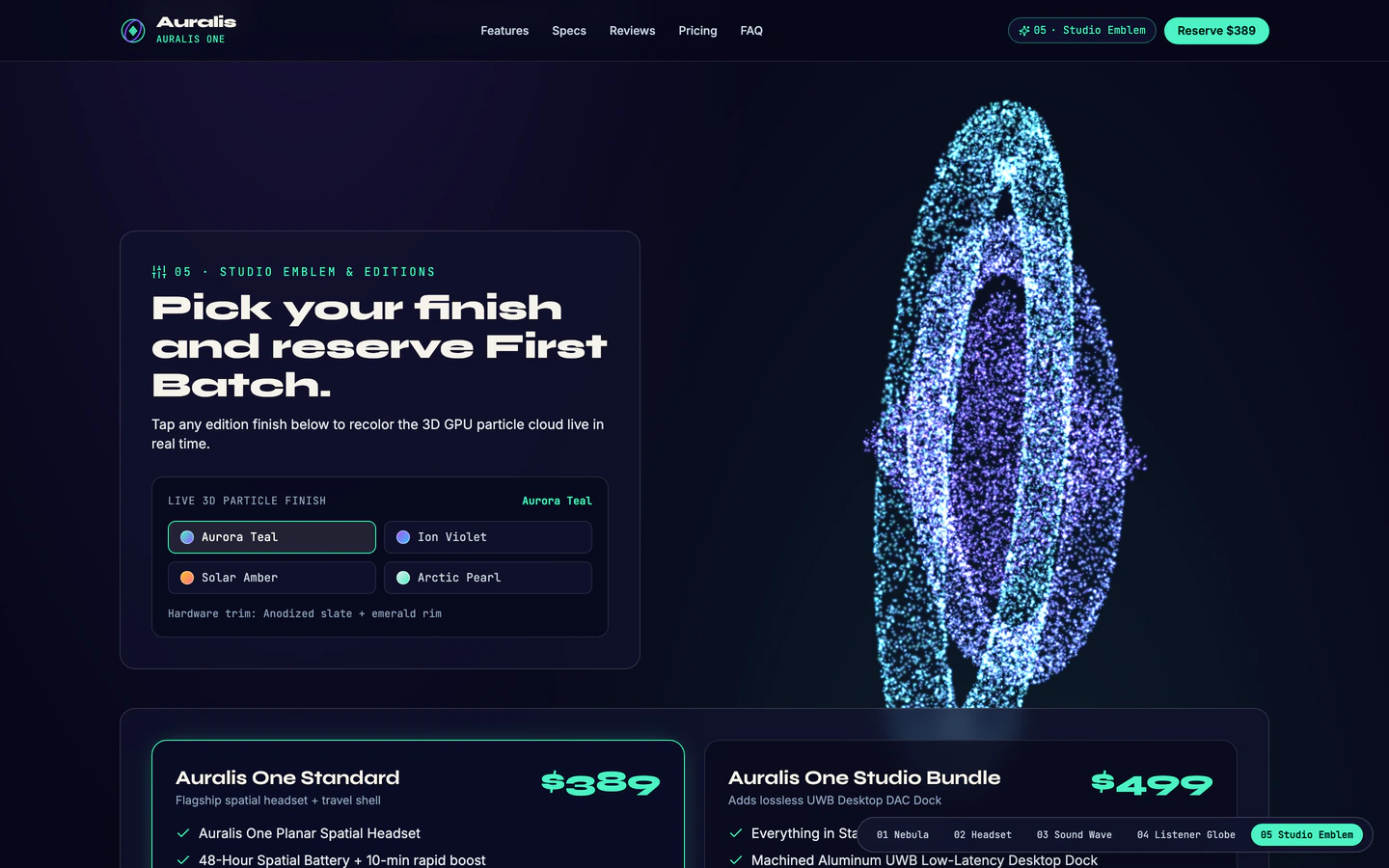
Spatial-audio headset product showcase where tens of thousands of GPU particles morph smoothly across five 3D silhouettes on scroll.
Convert Leads websites are single-page sites built to turn a visitor into a signup, a demo request or a purchase. The two templates on this page share that job but approach it differently: the Particle Morph 3D Landing Page is a free spatial-audio headset showcase where tens of thousands of GPU particles morph across five 3D silhouettes on scroll, while the Fluid Simulation Agency Website is a Pro creative studio homepage with a live WebGL fluid hero, a cutout wordmark mask and scroll-reactive electric palettes. Both run on React with Vite and Tailwind CSS, use dark styling and were built by GPT-6.2 Sol and Gemini 4 Neon in Antigravity and Codex.
A conversion page lives or dies on what happens after the effect: the headline, the proof and the one action you ask for. Starting from a published prompt gives the agent a working structure for those parts before it touches the visuals, so you spend your time on your offer and your copy instead of rebuilding a hero from a blank chat. Every demo is in English, and the prompt behind each one is a starting point you can direct.
Before prompting, name the single conversion the page exists for: a demo request, a waitlist signup or a purchase. The Particle Morph 3D Landing Page and the Fluid Simulation Agency Website both push one action, so decide yours first and give the agent that action, the form fields and the confirmation message.
Choose between the particle morph product showcase and the WebGL fluid hero based on what you sell. A hardware product suits the five 3D silhouettes; a studio or service suits the fluid hero and cutout wordmark. Tell the agent which one and keep the rest of the page calm so the effect does not compete with the call to action.
Give the agent your headline, one-line offer, three proof points and the button label. Conversion depends on those words more than on the animation, and the templates leave the text as variables you can set. Ask for the page in English and check that the headline still reads well on a narrow screen.
Test the whole page on a phone: the hero effect should not block scrolling, the call to action should be reachable without hunting, and the form should be short. Ask the agent to reduce the particle count or simplify the fluid on small screens, and confirm the button stays visible after the animation runs.
Wire the signup or contact form to your mailing list or inbox and submit it yourself from a phone and a desktop. Confirm the confirmation state appears, that the page still loads after the effect finishes, and that the Pro source code or free prompt you started from is the version you edited.
FAQ
Start from one of the two templates on this page, paste its prompt into an AI coding agent such as Codex, Antigravity or Cursor, and describe your offer, your single call to action and your form fields. The Particle Morph 3D Landing Page gives you a product showcase with a particle morph effect; the Fluid Simulation Agency Website gives you a studio homepage with a WebGL fluid hero. Both are single-page React sites, so you edit the copy and the action rather than the layout.
The Particle Morph 3D Landing Page suits a product launch: it shows a spatial-audio headset across five 3D silhouettes that morph on scroll, which keeps attention on the product. The Fluid Simulation Agency Website suits an agency or creative studio: its live WebGL fluid hero and cutout wordmark present a studio identity. Both are one-page sites built to send visitors to a single action, so pick by what you are selling, not by the effect alone.
The Particle Morph 3D Landing Page prompt is free for personal, non-commercial use under CC BY-NC 4.0, and every DESIGN.md is free to read. Commercial and client work needs Pro, which also gives you the full prompt and the source code of the demos. The Fluid Simulation Agency Website is a Pro template: its brief, stack and variables are public and the full prompt is for Pro members.
Change the headline, the one-line offer and the button label before anything else, because those carry the conversion. Then set the form fields to what you will actually use and connect the form to your mailing list or inbox. After that, adjust the hero effect to your product or studio, and check the page on a phone so the call to action stays reachable while the animation runs.
Both templates are built with React, Vite and Tailwind CSS, which support responsive layouts, and both are single-page sites. The particle and fluid effects are the parts to check on a phone: ask the agent to reduce the particle count or simplify the fluid on small screens, then confirm the page scrolls normally and the call to action stays visible. Test the form from a phone before you send traffic to it.
Describe the form to the agent in plain words: which fields you need, where the button sits and what the visitor sees after submitting. Keep it to the fields you will use, such as name and email for a waitlist or a few more for a demo request. Then connect the submit action to your mailing list or inbox and send a test entry from both a phone and a desktop to confirm it arrives.
1 of the 2 website templates for convert leads on VibeFather have a free prompt and DESIGN.md for personal projects (CC BY-NC 4.0); 1 are Pro. Pro adds every prompt, the source code of each live demo and a commercial license.
The live demos here were built by Gemini 4 Neon (2) and GPT-6.2 Sol (2), each from the published prompt with nothing added. Every demo is labeled with the model and the coding tool that built it.